YouTube video planner — AI plans your next viral video
Plan your next YouTube video with AI. Get a retention-optimized structure, 3 title variants, thumbnail text overlays, and a homepage preview. Free.
No sign-up needed · Upload your thumbnail and test instantly
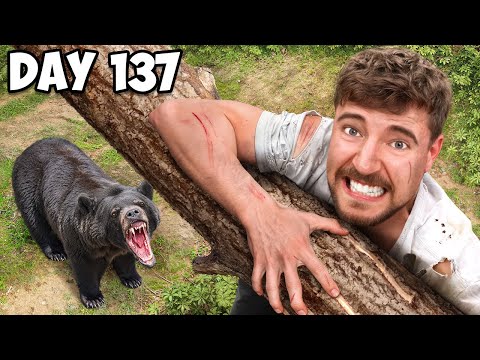
$10,000 Every Day You Survive In The Wilderness
MrBeast
391M views · 1 year ago

Your video title here
Your Channel
— views · just now

50 YouTubers Fight For $1,000,000
MrBeast
215M views · 1 year ago

Living With SPEED For 24 Hours!
Kai Cenat
13M views · 2 years ago
This is a real preview from the tool. Try it with your thumbnail →
The problem with youtube video planner
You have video ideas but no structured plan for how to execute them
Your videos lose viewers in the first 30 seconds because you don't have a strong hook
You plan your content in scattered docs and notes instead of a dedicated tool
How 1plann fixes it
Describe your video idea and AI generates a full retention-optimized plan — hook, 4-6 section structure with durations, retention beats, CTA, tags, and best publish time
Get 3 title variants and 3 thumbnail text overlay suggestions tailored to your topic
Preview your video on a real YouTube homepage to see if the full package works before you film
What you get
AI video plan
Retention-optimized structure
Title + thumbnail suggestions
Homepage preview
Real YouTube thumbnails
Competitor thumbnails pulled from YouTube's CDN
Instant preview
No upload, no sign-up, no waiting
How it works
Describe your video
Type your video topic and AI generates a full plan, 3 title variants, and thumbnail text overlay suggestions for your youtube video planner.
Upload your thumbnails
Upload up to 3 thumbnail variants (A/B/C). Click between them to see which one stands out.
See it on the YouTube homepage
Your video appears in a real YouTube homepage feed next to MrBeast, Kai Cenat, KSI, and other top creators. Does your thumbnail pop?
youtube video planner — your questions answered
How does this youtube video planner work?
Describe your video idea and AI generates a full retention-optimized plan — hook, 4-6 section structure with durations, retention beats, CTA, tags, and best publish time You can test up to 3 thumbnail variants and 3 AI-generated title variants, then see the full package rendered on a real YouTube homepage feed.
Is this youtube video planner free?
Yes. The YouTube thumbnail tester, title generator, and homepage preview are completely free — no account required. Just upload your thumbnail, type your topic, and get instant results.
Can I really see my thumbnail next to MrBeast?
Yes. The homepage preview pulls real thumbnail images from actual YouTube videos by MrBeast, Kai Cenat, KSI, and jasontheween using YouTube's public thumbnail CDN. Your uploaded thumbnail is inserted at position 4 in an 8-video grid — the exact context your viewers see.
Do I need to upload my video to use the youtube video planner?
No. You only need to upload your thumbnail image (1280×720 recommended) and type your title. The tool generates the preview instantly without any video upload or YouTube account connection.
What makes a good YouTube thumbnail?
A good YouTube thumbnail has high contrast, a clear focal point (usually a face with an exaggerated expression), minimal text (1-4 words in large bold font), and stands out even at 120px wide. Our AI suggests text overlays and you can test 3 variants to see which one pops on the homepage next to competing videos.
Plan your next video free
Upload your thumbnail and see it on the real YouTube homepage in seconds. No sign-up, no credit card.
Open the tool